≡ Menu

One of the simplest to protect your privacy online is by using a VPN which stand for Virtual Private Network which will encrypt your internet connection even if you are using a Wireless Wi-Fi, or cellular connection. A VPN will make both your wired, and wireless internet connections more secure which will make your data safer from hackers who are trying to steal your data.

There are many free VPNs, and cheaply price VPN which only cost a few dollars a month, so you don’t have to any money, or a small amount of money each month to protect your Wi-Fi wireless, and wired internet connections like Cable, and DSL.

By encrypting your internet connection with a VPN, it is a lot harder for hackers to spy on your internet activity, and possibly steal your data.

VPN also are used to mask your connection because the VPN connections are located in different countries, so you can use a VPN connection to watch restricted videos which is only available in certain countries like the US. You can also use a VPN connection to access blocked websites like Facebook, and YouTube at school and work.

There are apps like Hotspot Shield VPN: Best VPN for WiFi Security, Privacy, Unblock sites which will protect Google Android’s VPN connection for free while you are connected to the internet.

Hot Spot Shield makes a free VPN service and apps for both Windows, Apple iOS and Google Android for connecting to their VPN to use the internet anonymously, and securely with their VPN connection. HotSpot Shield also protects your internet devices from malware on dangerous and infected websites.

I also recommend you keep your antivirus, antispyware, and antimalware programs updated regularly, and scan your computers for virus, malware, and spyware programs on a daily, or weekly basis. Also, use a firewall program in Windows to avoid unwanted programs from sending data out of your computer, and hackers from hacking into your computer to steal your information.

0 comments
Ghostery

I have been using Ghostery with Opera, and Firefox, and it seems to make my web browser more stable, and crash less than before because it blocks tracking cookies, widgets,  and scripts from running. Web sites also seem to load faster. On slower connections like Dial-up, ISDN, and slower broadband , blocking advertisements with Ghostery can make website load faster.

You can choose what things to block, and unblock. I blocked all the tracking cookies, beacons, widgets, and privacy categories in Ghostery.  I did not block Advertising since some of the ads online are useful for finding deals, and new websites to visit to buy things, or to visit. I also unblock Disqus, and Livefyre since a lot of blogs use them as their commenting program.

It is easy to search for widgets, and other things to block, and unblock from within the Ghostery settings. To block something, I just check on it, and to unblock something, I just uncheck it. Lastly, click save to save my settings. [continue reading…]

0 comments
Wise Care 365 Free

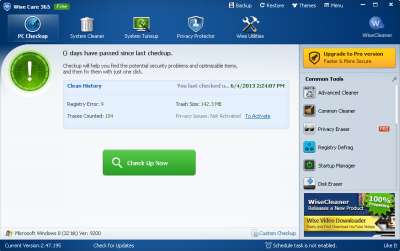
Wise Care 365 Free is one of the best free system utilities I tried on Windows 8.  It combines Wise Disk and Registry into one program, and also comes with a system tuneup, and privacy protector.

I have been using Care 365 on my Windows 8 computer with a 1.8 GHz CPU, 1GB of RAM, and 320GB hard drive for a few months. Wise 365 Free also opens quickly in seconds, and it scans take less than a minute for me. Using Care 365 makes my PC startup, and run faster, and more stable. I like the built-in startup manager, and service manager because it tells me which programs are safe to disable, and which programs I need to keep running.

The Disk Cleanup, and Registry cleaner in Care 365 Free also removes a lot of junk files and un-needed registry entries which other cleaners didn’t delete, and there is also a registry defrag in 365 which shrink the size of the registry, so  the registry uses less space on my drive. All registry files are backed up to the restore section, and Wise makes a system restore to restore Windows if you encounter problems after a registry cleanup. You can also delete un-needed Windows update cache installers, help files, log files, and bundled Windows files which take up space, but you don’t need to run Windows. [continue reading…]

0 comments