by Johnson Yip
on December 31, 2014
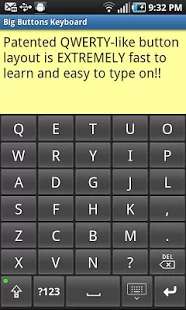
Big Button Keyboard is a Google Android Keyboard app for using to type on touchscreen keyboards. You can adjust the size of the buttons by adjusting its height in its settings in the Android Keyboard settings for Big Button Keyboard.
It uses the patented Delta II modified-QWERTY keyboard layout with large buttons which is FAST, ACCURATE & EXTREMELY easy-to-learn, so you can type faster.
This is a great keyboard app for people with big thumbs, and fingers, or their tablet or smartphone screen is small making it difficult for typing on a on-screen keyboard because of the small size of a regular keyboard on a small screen.
I have been using this keyboard app for a few weeks on my 7 inch Google Android 5.0 Asus Nexus 7 2012 tablet, and it works pretty well for me at typing sentences, and words quicker in Android.
[continue reading…]
Tagged as:
android,
app,
big button keyboard,
Google,
google android,
keyboard,
keyboard app
by Johnson Yip
on December 24, 2014
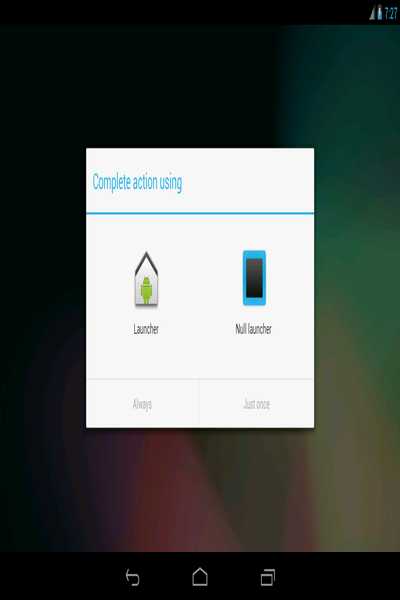
Null Launcher for Android is a simple to use Launcher app which only displays your picture wallpaper, or Live animated Wallpaper, but does nothing else.
Null can’t launch apps, and you can’t add widgets, and app shortcut to it. It also displays the default Android status bar with notification icons, and clock on the top of the screen, and the navigational buttons on the bottom of Android.
Null Launcher is useful for using with other apps like other apps which can launch apps where you can launch apps by swiping up from your on-screen home button like in Swipe Launcher, voice controlled apps like Google Now, and Lockscreen or notification bar launchers where you launch apps from the lock screen or notification bar. Null Launcher is also useful if you just want to just show a slideshow, picture wallpaper, a live wall paper, or you use Android where you don’t need to use the launcher, and rather save system resources like RAM, CPU, and battery life by not having a launcher. You can still open apps which are open on your recent apps section which you open by pressing the double rectangle button on the status bar. [continue reading…]
Tagged as:
google android,
google android launcher,
launcher,
mobile app,
null launcher
by Johnson Yip
on December 19, 2014
Bluestack App player is an easy to use app player for running Google Android Apps in Windows. I use BlueStack mainly to play Gameloft Asphalt 8 Racing game app on a computer with a keyboard by mapping the touchscreen controls to physical keys on my USB keyboard. Using a keyboard and mouse is a great way to get high scores in games like Racing, RPG, and fighting games where a keyboard, and mouse is more accurate than touch and tilt controls on a tablet, or smartphone. I use an keyboard on-screen button mapping App called Game Keyboard which is available on Google Play Store.
Sometimes, it is more fun, and easier to use Android Apps on a big screen found on laptops, and desktops with a keyboard and mouse running Windows. I also experience fewer lag slowdown problems using Android Apps in Bluestacks even on my older computer running Windows 8.1 with a 1.86 GHz CPU, 3GB of RAM, 320GB storage, and Nvidia GT620 1GB video card. Bluestacks requires at least 2GB or more RAM to run smoothly, and a faster video card and CPU to run 3D and more graphically intensive games.
[continue reading…]
Tagged as:
android,
app player,
Bluestack,
emulator,
Google,
google android app emulator,
google android emulator,
Windows