by Johnson Yip
on March 24, 2013


Microsoft Windows 8 is not hard to learn to use on a desktop computer once you get used to it in my experience. But, using shortcut keys like Windows Key + C which brings up the charms sidebar could make Windows 8 easier to use for searching for files, programs and settings.
In my experience, I only use a few shortcut keys, and the arrow keys like left, right, up and down + the enter key to more quickly use Windows 8 keys without moving my mouse’s cursor much. [continue reading…]
Tagged as:
microsoft,
Windows,
windows 8,
windows 8 mouse gestures,
windows 8 shortcuts,
windows 8 tips
by Johnson Yip
on March 24, 2013
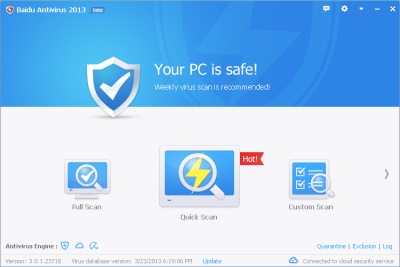
Baidu which is China’s biggest search engine recently release its free western and thai language Antivirus software for protecting Windows from viruses by using Avira’s virus definitions along with Baidu Cloud Security Engine and Definitions.
The Quickscan for Baidu Antivirus is pretty fast, and only takes a few minutes to complete.
Baidu also uses very little system resources like CPU, RAM, and hard drive space while protecting Windows operating systems from viruses. According to Baidu Antivirus website, it only uses 10MB of RAM, and the installer is only 11MB in size. [continue reading…]
Tagged as:
antivirus,
baidu,
cloud antivirus,
cloud computing,
cloud security,
computer security,
windows security
by Johnson Yip
on March 18, 2013
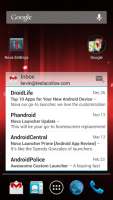
I have been using Nova Launcher for a few weeks on my Asus Google Nexus 7 to replace the standard default launcher for Google Android 4.2.2. I like that I can add Shortcuts to the home screen by just holding down my finger in an empty space like the launcher for Google Android Gingerbread. I can also open the app drawer/all apps, and long press on an app, or widget which I want to add to my Homescreen, and drag it to the desired location like in Google Android 4.2.
If you know how to use the default launcher in Google Android 2.3 and other versions of Android, it should be easy to learn how to use Nova Launcher.
Nova Launcher is easy to use, and fast in my experience. I like how it is easy to add and remove home screens, and add widgets and shortcuts to the homescreen by just long pressing on the home screen, or in the settings.
The Scrolling Speed in Nova Launcher is also very fast, and responsive when using my finger to swipe to the next homescreen. [continue reading…]
Tagged as:
android,
android launcher,
apps,
google android,
mobile,
nova launcer