by Johnson Yip
on July 18, 2013
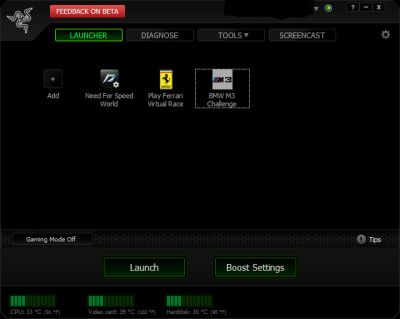
If you have an older or slower Windows computer with less RAM, a slower CPU, and older video card, or want to run Newer games at higher video quality settings on your computer, using iobit’s Razer free Game Booster software will make your gaming experience more smoother, reliable, and more games more entertaining.
I have been using Game Booster to optimize my Windows 8 computer with 1GB RAM, a Dual Core Intel 1.86GHz CPU, and Nvidia GTX 620 1GB video card when I play games like Need For Speed World. I notice when Game Booster is ON, my game’s video seem more smooth, and slows down less. Game loading times are also faster, and my games don’t crash, or get interrupted by third party software like Chat programs, and Disk Defrag programs running when my games are running. Game Booster is also useful to use even if you are not a gamer because it maximize your computer hardware, and Windows performance, so you have more free RAM, and CPU Cycles to use for the program you are currently using like Image Editors, Video Editors, Office Suites, and Web Browsers. Plus, you won’t get interrupted by chat programs, multimedia players, and notifications from third party software when Game Booster turn them off if you set Game Booster to also turn off your third party programs, so your computer has less running.
[continue reading…]
Tagged as:
gamebooster,
gaming,
iobit,
iobit razer gamebooster,
make Windows faster,
pc,
pc games,
pc gaming
by Johnson Yip
on July 7, 2013
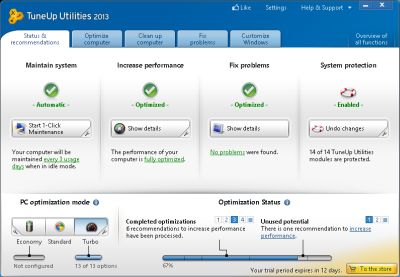
TuneUp Utilities 2013 is a system utility program which keeps Windows based computer running fast, and stable after users install it on their computer. TuneUP automatically runs maintenance tasks like disk cleanup, and defrags, and recommends the best settings for Windows to keep users computer fast.
I been using TuneUP Utilities 2013 on an older computer, and it helps clean up junk files, disable un-needed startup programs, and services, and optimize settings in Windows for maximum performance. I notice my startup times are faster, and my computer also runs more fast, and stable with fewer crashes, freezes, and other problems which TuneUP Utilities can fix. The best part of TuneUP Utilities is that it runs its computer maintenance tasks automatically, and it only takes a few minutes to optimizes the settings for Windows with TuneUp Utilities by just clicking a few buttons with my mouse. Using TuneUp Utilites save me a lot of time when it comes to optimizing Windows for maximum performance, and stability, so my computer keeps running fast without freezes, and slowdowns caused by Windows errors, background programs and services, and 3rd party software slowdowns which TuneUP can fix. TuneUP also recommends the best settings to keep your computer secure like turning off file sharing, and turning on UAC in Vista-8 for better security.
Right after TuneUp 2013 installation, TuneUP will launch the one-click maintenance wizard which will optimize the settings, speed, cleanup Windows and internet history junk files, look for broken shortcut, defrag the registry, and do a disk defragmentation which will speed up a hard drive. [continue reading…]
Tagged as:
disk cleanup,
disk defrag,
speed up windows,
system utility program,
tuneup utilities 2013,
Windows
by Johnson Yip
on June 26, 2013
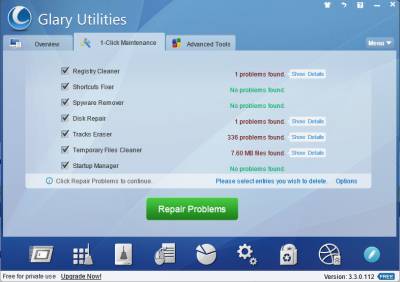
I am a happy long time user of the free version of Glary Utilities 2 Free which I used to maintain my Windows computer. Glary Utilities 3 Free is now in available, and it works great at maintaining my Windows 8 computer with 1 Click of the mouse with the 1-Click Maintenance tab.
The 1 Click Maintenance Wizard cleans Windows Registry, fixes shortcut, removes spyware, repair hard disk, remove your internet and recently open items history, cleans your temporary files, and check startup enteries. You just need to click the Scan for Issues button. You can also go into the options to check more items to clean, or unselect items you do not want to clean.
Scanning only takes a few minutes, or less, and repairing is quick. According to Glary’s website scanning is 800% faster in Glary Utilies 3 than its older program. [continue reading…]
Tagged as:
glary utilities 3 free,
system utilities,
Windows,
windows 8