by Johnson Yip
on April 21, 2014
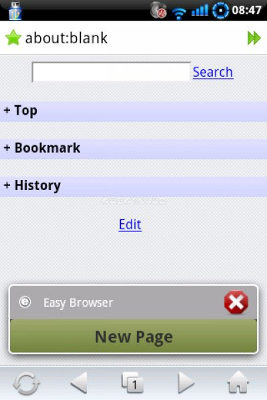
Easy Browser is one of the fastest, cleanest and easiest to use mobile web browsers for Google Android phones and tablets. The simple design, and settings user interface in Easy Browser is great because there is no learning curve for me because its design is easy to learn how to use, and the settings are all on one page instead of multiple pages like other web browsers. I like that Easy Browser starts up in about 1 second after I tap on the Easy Browser shortcut on my 2012 Google Nexus 7 tablet. Easy Browser also rarely crashes, or freezes in my experience of using for many hours at a time. Easy Browser is a great web browser for older smartphones, and tablets because it does not use a lot of space on Android’s storage drive because it is only 213KB to download from Google Play. Easy Browser is also faster, and have better features than the default web browsers which come with Google Android 2.3 phones, and it runs faster than other more popular mainstream web browsers like Firefox, Chrome, Dolphin, Opera Mobile, etc which use up more space, and sometimes freezes and crashes more on older phones and tablets running Google Android 2.3-4.3. [continue reading…]
Tagged as:
apps,
easy browser,
easy web browser,
google android,
google android web browser,
mobile,
mobile web browser
by Johnson Yip
on April 21, 2014

Game Booster is a launcher program which frees up RAM and CPU resources by stopping un-needed background programs like web browsers when I use it to launch games. I notice that launching games like Asphalt 8, Temple Run 2, and Regular Apps like web browsers open and load faster when I use Game Booster to launch them on my Google Nexus 7 2012. Games also seem to slow down less, and run smoother. Game Booster also automatically closes after launching your game, or App to free up more RAM by not running in the background while you are gaming, or using your app.
Games, and Apps sometimes need lots of RAM, and CPU resources to run smoothly, so Game Booster stopping un-needed background apps would free up more RAM and CPU resources to keep Google Android and your game running smoothly.
Game Booster could help make games run faster on Google Android smartphones and tablets like the Nexus 7 2012 with 1GB or less RAM. [continue reading…]
Tagged as:
app,
Game App,
Game Booster,
Gaming Apps,
google android,
mobile,
Task killer
by Johnson Yip
on April 19, 2014
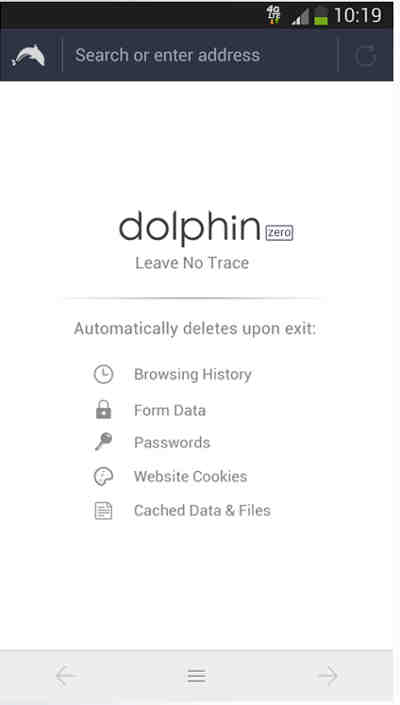
Dolphin Zero is a web browser which is made for private web browsing. It does not store any of your web browsing history, personal information, and files, or share your info with Dolphin, or other companies. The default search engine is also DuckDuckGo.com which is a private search engine which let you search the web anonymously without being tracked, or having your searches stored on their website.
When I close/Exit Dolphin Zero, it clears all my Browser History like Form Data, Input Data, Passwords, Cached Data and Files, Favicons, User Address Book, Cookies, Location Information, so no one can know what websites I visited by opening Dolphin Zero because there is no History program in Zero. [continue reading…]
Tagged as:
app,
dolphin,
dolphin zero,
google android,
mobile web browser,
private web browser