by Johnson Yip
on June 26, 2014
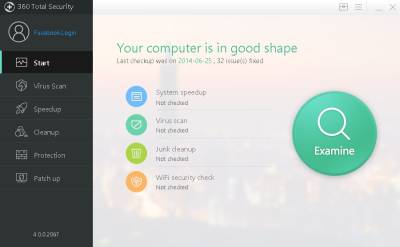
360 Total Security is a free antivirus software for Windows which is fast, and also speeds up your computer by performing tweaks, and disk cleanup to Windows.
360 Total Security is a good alternative to other free antivirus programs, and cloud online antivirus programs where you need to be online for protection. 360 Total Security protects my PC when I am online, and offline. It also does not slow down my Windows 8.1 computer with a Dual Core CPU, and 1GB of RAM like other regular antivirus programs which I tried in the past. Total Security uses about 20-40MB of RAM when idle according to Windows task manager, so Total Security doesn’t slow down my PC when I use it for gaming, web browsing, watching video, and other tasks in my experience. It also is reliable, and rarely freezes, and crashes my computer.
The program looks pretty nice with its modern flat design, and is pretty easy to use with its colorful buttons, and simple descriptions.
[continue reading…]
Tagged as:
360 total security,
antivirus,
computer security,
disk cleanup,
make Windows faster,
total security
by Johnson Yip
on June 22, 2014
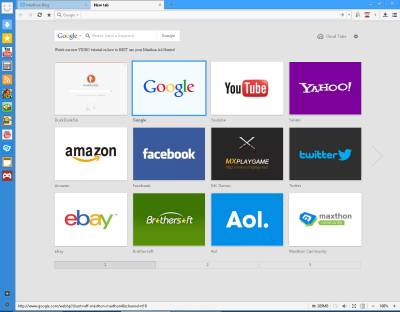
I have been using Maxthon Cloud web browser on Windows, Mac, Linux, and Google Android, and Maxthon is a fast, and reliable web browser. Maxthon is one of the best alternative web browsers I used because it is fast, has a lot of features, simple, and reliable.
Maxthon runs fast even on my slower Windows 8.1 computer with 1GB of RAM, and a Dual-Core 1.8 GHz CPU. Switching tabs, scrolling up and down pages, and watching videos online is also very fast. It is also fully compatible with Windows 8.1 in my experience, and I have not ran into any compatibility problems when using Maxthon in Windows 8.1, and it displays most websites like YouTube, and Twitter correctly.
Maxthon starts up fast after double clicking on the shortcut with my mouse in Windows. It also rarely freezes, or crashes in my experience. There is also less slow down after opening in Maxthon in Windows like other browsers I use on Windows, so I can start using it after opening it. [continue reading…]
Tagged as:
maxthon,
maxthon browser,
maxthon cloud browser,
mobile web browser,
web browser
by Johnson Yip
on June 18, 2014

Turn Off Screen is an App for Google Android which will lock, and turn off the screen on your Google. All you need to do is install the app, turn on the app, and press the Lock shortcut for the App to activate it.
It is pretty easy to install Turn Off Screen after installing it from Google Play. I just need to open the App, and click on the Enable in Step 1 which turns on the app, and in Step 2, I click on Create Shortcut to add a shortcut for Lock in the Homescreen and All Apps. There is also a Disable feature in Step 3 which you need to press if you want to uninstall the App if you do not want the App anymore.
Once Turn Off Screen is installed, all you need to do is press the lock shortcut on my homescreen, or All Apps section in Google Android to lock your phone and turn off your screen. There is no App to open because once you tap the Lock shortcut the app automatically opens to lock, and turn off your screen. It takes about 1 second or less to lock and turn off my screen on Google Android devices.
I find it more easy and fast to tap on the Lock shortcut on the shortcut than press the power button to lock and turn off my screen. Plus, I know that my tablet or smartphone is locked once I press the lock shortcut.
It also won’t slow down your phone or tablet like widgets which sometimes always run in the background using up RAM, CPU, battery power and other system resources while your phone or tablet is ON. [continue reading…]
Tagged as:
app,
google android,
lock,
lock app,
lockscreen app,
power app,
privacy app,
turn off screen,
turn off screen app