by Johnson Yip
on October 12, 2014
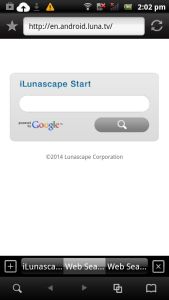
iLunascape is a fast, lightweight, simple, and feature rich Google Android Web Browser for Smartphones, and Tablets.
iLunascape starts up in seconds after tapping the shortcut for it on my homescreen. It runs pretty well right after I start up and unlock Google Android, and when I have many other apps open.iLunascape does not seem to use a lot of RAM, and CPU cycles because it does not slow down my device when I use it. It also loads websites in a few seconds. iLunascape scrolls up and down websites is pretty smoothly without any noticeable lag and freezing problems. I can have 6 tabs open at once. Opening many tabs does not slow down this browser. It also plays videos from YouTube and other online video sites pretty smoothly without any loading problems or random pauses caused by downloading problems when I use it on my Wi-Fi connection. [continue reading…]
Tagged as:
browser,
browser app,
google android,
ilunascpe,
mobile app,
mobile web browser,
web browser
by Johnson Yip
on October 6, 2014


Recently, I upgraded my Windows 8.1 32Bit desktop computer with an Intel Dual-Core Core2Dou 1.86GHz CPU to 3GB of RAM by adding an extra 2GB of RAM to my computer which originally had 1GB of RAM. I bought 2GB kit (1GBx2) DDR2 PC2-4200 DESKTOP Memory Modules A-Tech Brand for $18.99 to add an extra 2GB of RAM on my desktop PC to increase my amount of RAM to 3GB from 1GB.
I also upgraded the onboard video which is built-into my PC to a $60 Asus Nvidia GT 620 1GB video card which I bought from a local PC store a year ago instead of using the slower Intel onboard video which is built-in to my 2007 desktop computer. If seen the Nvidia GT 620 1GB on Amazon, eBay, and online for $50 or less with free shipping, so the GT 620 is very affordable. [continue reading…]
Tagged as:
computer games,
computer gaming,
gpu,
memory,
pc gaming,
ram,
ram upgrade,
video card,
video card upgrade
by Johnson Yip
on October 5, 2014
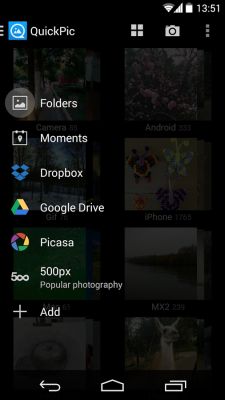
QuickPic is a great alternative to the Gallery App or Google Plus Photos app for Google Android. I like QuickPic because it runs very quickly, and opens in seconds after tapping on the QuickPic app on my Homescreen. It also organize my photo and video files by folders, and I can exclude certain folders from being shown in QuickPic.
It also supports online photo storage services like Picasa, Google Drive, Dropbox, Flickr, OneDrive, 500px, etc.
It also supports finger gestures like pinch to zoom, slide finger horizontally to the next photo, double tap (and drag) to zoom, and 2 finders picture rotate. [continue reading…]
Tagged as:
app,
gallery,
gallery app,
google android,
photo,
photo viewer,
photo viewer app,
quickpic,
video