≡ Menu

Computer repair tools for fixing a desktop or laptop computer are very affordable since they can cost as little as $20 or less if you buy the tools as a bundled kit on Amazon, eBay, or on sale at a store. Computer tools are also pretty easy to use since most computer parts like Power supply, PCI expansion cards, PCI Express and AGP video cards,  and hard drives are screwed to the computer case with Philips cross head screws of different sizes after you inserted your parts into an AGP, PCI, PCI-Express card slot, hard drive or optical drive bay or adapter. It is important to use screw drivers made for computer repair to avoid damaging your computer, or the screws. The screw drivers and other tools like pliers, wire stripper, wire cutters, and tongs are also not magnetized like some screw drivers and tools made for wood working to make picking up wood screws easier. Magnets can damage a computer, and its data.

Using your own computer tool kit  which you bought at an online  store to repair your own computer is cheaper than going out to buy a new computer when one or more parts like RAM, video card, and hard drive can easily be replaced for under $50 in many cases if you buy and install the part yourself. Repairing your own PC is also cheaper than bringing it to an electronics or computer repair store to repair your PC. It will probably be cheaper buying your tools as a kit rather than going to a computer store which sell computer repair tools like soldering irons, different types of screw drivers, and other tools for higher prices. Tools from a computer tool kit are also higher quality than some tools sold for low prices at a discount store.

The Rosewill 45 Piece Premium Computer Tool Kit is a good general purpose computer tool kit which you can buy for under $20 on Amazon.

The toolkit is designed for repairing, building, and upgrading most types of computers like desktop computers and laptops. You can also use these tools for fixing, and repairing other household electronics like DVD players because many DVD players use similar screws found on desktop computers. It comes with most of the common screw driver types like flat head, Philips cross head, HEX, and other screwdriver heads which you would need to unscrew to remove, and upgrade parts on a desktop computer, and laptop. The tools are also de-magnetized, so they won’t damage your magnetic data storage devices, and your computer parts which are easily damaged by magnetic fields. It also comes with other tools like pliers, wire strippers, soldering iron, needle nose pliers, wire cutter, small screw driver, screw bits, Wide tongs, narrow nosed tongs, Allen Key set, Long narrow screw driver, razor knife, Cable Cutter/crimper, different hex socket wrench bits, grabber tool, flash light and dusting brush.
[continue reading…]

0 comments
Light Web Browsers Windows Linux

A lot of modern web browsers like Internet Explorer, Firefox, Google Chrome, and Opera can run slowly on Windows XP, Vista, 7, and 8.1 computer with only 1GB of RAM, and a slower single to dual core CPU, or even lower end Quad-Core CPU like newer Intel Atom based CPUs. Linux can run Firefox, Google Chrome, and Opera better on 1GB of RAM, and a slower CPU because of Linux low system resource usage, but Linux based PC can still get slowed down if you have many tabs open, and many programs open all at once, so a lighter web browser would be better for slower computers. A lot of alternative web browsers are faster, and also has as many features, or more features like a video downloader compared to more popular web browsers like Internet Explorer, and Chrome.

A lot of lightweight web browsers also work for older versions of Windows like XP, 2000, 98, and older versions of Linux based operating systems like Ubuntu 10.04.

Using a lightweight web browser will also save battery life on laptops, and tablets, and use less electricity on desktop computers because of the lower system resource usage of light web browser. Using a light web browser on a fast computer would make websites load very fast, and sometimes even faster than using a popular web browser like Chrome, Internet Explorer, and Firefox. [continue reading…]

0 comments
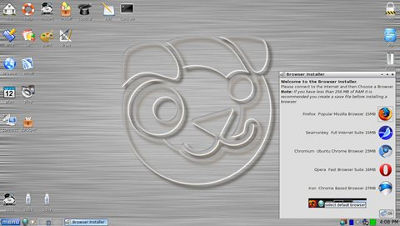
Puppy Linux Lucid 5.2

A lot of the time new operating systems like Windows 8, 7, and Vista don’t run well on very old computers. But, Linux based operating systems like Linux Mint, Puppy Linux, and Lubuntu would run great on slower computer because of the lower system speed requirements for RAM, CPU, hard drive, and video cards needed to run Linux based operating systems. Using an older version of Windows, Mac, etc is unsafe because it is no longer supported with security updates, and patches because Microsoft and Apple decided to not support it anymore, so using Linux on an older computer is safer, and faster. Puppy Linux, and other Linux operating systems can run on computers with 256 MB of RAM or less , a single-core 1.4 GHz or slower CPU, 60GB or less hard drive space, onboard video, and sound.

Linux based operating systems like Puppy Linux, Lubuntu, and Linux Mint user interface is similar to Windows XP, Vista, and 7, so if you used a Windows operating system, switching to a Linux based operating system should be simple to do.  There are some Linux operating systems like Ubuntu which works on Mac as well. The user interface in Ubuntu is not very hard to learn even if you only use an Apple Mac computer in the past.

A lot of Linux based operating systems don’t even need a hard drive installed on a computer because they can run off a CD, DVD, or USB storage device with a Linux based operating system image file burned, or written onto a CD/DVD, or USB storage device like a USB Flash drive. If you have a broken computer with a broken hard drive, but it displays the startup image and text when you turn it on, you can use the computer to run Linux from a CD/DVD or USB flash drive.

Linux now has a lot of good software which can run on Linux like Firefox, Google Chrome, LibreOffice, OpenOffice, Mplayer, SMplayer, Steam, Gimp, XBMC, and other software, apps, and games for it, so you can use Linux for doing tons of tasks like watching video, listening to music, web browsing, office work, etc. Most of the software for Linux is also free to use.

[continue reading…]

8 comments