by Johnson Yip
on March 15, 2015
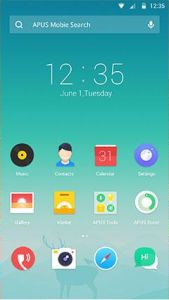
APUS Launcher is a nice alternative launcher for Google Android smartphones and tablets. APUS Launcher is fast, small, and lightweight, but still very customizable with custom themes, icons, and wallpaper.
I use APUS Launcher on my Asus Google Nexus 7 2012 16GB Wi-Fi tablet with a Tegra 3 CPU clocked at 1.3 GHz, and 1GB of RAM, and APUS runs pretty quickly, and reliably. APUS does not freeze, or crash when I used it on my older tablet. It does not slow down my startup times for my tablet, or use a lot of RAM in the background making my other apps run slower. Scrolling through All Apps, and to different homescreens is fast. APUS does not slow down even when I add Widgets to the homescreen. You can remove all widgets like search, and clock from the homescreen if you do not like widgets, or own a slower device where widgets slowdown your device when you use them on your homescreen.
The download file size of APUS Launcher is less than 3MB in size, so it uses very little space, and the small file size means it won’t use up much bandwidth to download from Google Play.
There is also an App boost features which free up my tablet’s RAM to make it run faster, and use less battery power. APUS also optimizes my RAM when I turn off my screen. When I turn back on my screen by pressing the power button on my device, I get a notification telling me how much RAM APUS has recovered. APUS RAM Booster usually recovers 100-300MB of RAM in my experience. I also downloaded and install APUS Booster+ which boost my RAM even more by stopping more un-needed background apps, and services, and preventing them from starting again. [continue reading…]
Tagged as:
apus,
apus launcher,
desktop,
google android,
google android launcher,
launcher,
mobile,
smartphone,
tablet
by Johnson Yip
on March 9, 2015
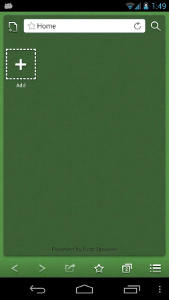
Boat Browser Mini is a nice web browser which runs smoothly even on older, and slower Google Android smartphones and tablets in my experience. It is also easy to use on smaller screen because the address bar, buttons, and tabs don’t take up much space on the screen. It also has Full Screen web browsing mode which is useful for smaller screens, or to view more of the website without the need to scroll a lot. The full screen mode makes reading websites similar to reading an e-book without the distractions of the address bar, and toolbar. There are not any bloated features in Boat Browser Mini which makes using Boat confusing to use, or slow like other bigger web browsers which has too many un-needed features where using it is slow and harder. Boat Mini also has nice features like Floating Windows which let you resize a website, so it uses less screen space on your device, or to have two websites loaded on the screen at the same time. I like the gallery multi-tab switching feature in Boat Mini which display each website as a horizontal scrolling cards list which you see when switching tabs by pressing the tabs button on Boat Mini.
The performance of Boat Mini is very fast for a mobile browser. Boat Browser Mini starts up in seconds after tapping on the homescreen shortcut icon for Boat Browser Mini on my Android launcher. Website page load times are fast on my Home Wi-Fi connection. Using Boat Mini to stream YouTube videos, and other streaming video sites is fast and stable. Scrolling up and down websites is fast, and smooth when I scroll websites. I use Boat Browser Mini on my older Asus Nexus 7 2012 tablet, and Boat Browser Mini runs pretty fast on my tablet when browsing the web, and Boat Mini does not slow down my tablet as much as other bigger web browsers. Boat Mini also only requires 3.2 MB of space to download, so it uses very little storage space on my tablet’s memory drive. [continue reading…]
Tagged as:
apps,
boat,
boat browser mini,
boat mini,
google android,
mobile app,
mobile web browser,
web browser
by Johnson Yip
on March 6, 2015
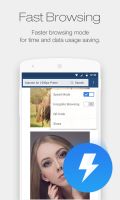
UC Browser Mini is a mobile web browser which is very fast, light, and simple to use. It has a lot of nice features like tabs, incognito private browsing mode, bookmarks, file manager, cloud online storage downloads, full screen browsing, Night mode, data usage chart, enhance faster downloading speeds, and speed mode which would save data by compressing images, and webpages to make them download faster even on slower wireless networks. It saved over 90% of my wireless data when I have speed mode turned on, and set my image quality to low in the settings menu for UC Brower.
UC Browser Mini’s file size is 1.1MB to download, so it uses very little storage space on a Google Android smartphone or tablet.
UC Mini is one of the best web browsers for older and slower Google Android smartphones and tablets because of its low system resource usage, small install file size and simple user interface which is easy to learn how to use after a few minutes of using UC Mini
[continue reading…]
Tagged as:
google android,
mobile browser,
mobile web browser,
uc mini,
uc mini browser,
uc web browser