by Johnson Yip
on April 24, 2015

Google Android has a lot of video player apps for playing video in Google Android smartphones, tablets, PCs, settop boxes, and game consoles like the MadCatz Mojo, Android on a Stick Mini PC, or Android TV.
Using a third-party video player can improve your video watching experience because some video players have hardware acceleration for playing back video.
Hardware Acceleration is faster than software acceleration which is usually more CPU and video intensive. The user interfaces on third party video players are sometimes easier to use because the buttons, seek bar, and features are easier to press and find on the screen, or menus. The full screen user interface for some video players also are easier to use, and also hides the status bar, and navigational taskbar in Android, so it makes videos bigger on your screen because the status bar, and navigational bar are not being shown when a full screen video is being played. There are also video players which let you zoom in, and out of a video, change the aspect ratio, and view the video at its original size which is useful when viewing low quality video files which look blurry when being viewed in Full Screen mode. Some of third-party Google Android video players also use the same or similar user interfaces as their iOS, Linux, and Windows 8 Video Player App, so there is no need to learn how to use them because you already know how to use the video player from using them in iOS, Windows 8, and Linux. [continue reading…]
Tagged as:
android,
apps,
Google,
google android,
google android apps,
player,
video,
video player,
video player apps
by Johnson Yip
on April 18, 2015
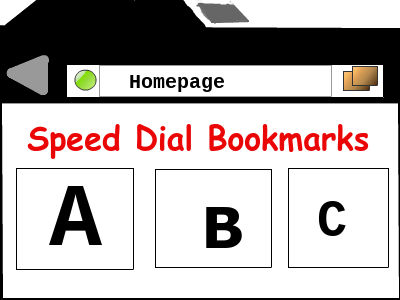
Many older, and slower Google Android smartphones, and tablets are now too slow to run a lot of popular Google Android web browsers well. Some web browsers and bigger websites need a newer smartphones, and tablets with a Quad-Octa core CPU, 2GB of RAM, more free storage space, and faster video chip to display mobile and full desktop websites quickly without slowdown problems.
If you own a slower, and older Google Android smartphone or tablet, or want a more faster running, and lightweight web browser, using an alternative lightweight web browser would make browsing on Google Android faster, and smoother even on devices with less RAM, less storage, use a slower CPU, and use an older version of Google Android like Gingerbread 2.3, and Ice Cream Sandwich 4.0. Using Lightweight web browsers on a faster smartphone like the Galaxy S6, Nexus 5, Nexus 9, Shield Tablet, Oppo One Plus One, and Galaxy Note 4 would make web browsing very fast on faster devices, and should improve multi-tasking as well when you have multiple tabs, and other apps open at once.
Many lightweight web browsers still have features like tab web browsing, autofill forms, autofill passwords, downloads manager, bookmarks, speed dial bookmarks, private browsing, HTML5 support, and Flash video support which is built-into its browser. Some light web browsers also have support for installing add-ons, and extensions to add even more features to the web browsers. [continue reading…]
Tagged as:
browser,
fast web browser,
google android,
google android web browser,
light web browser,
mobile web browser,
web browser
by Johnson Yip
on April 10, 2015
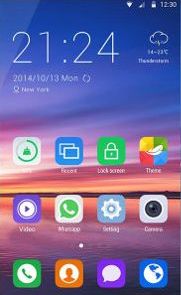
Zero Launcher is a attractive launcher which is also fast and lightweight, and very customizable with custom themes, wallpaper, transition effects, homescreen widgets, and icon styles.
It can run on Google Android smartphones and tablets running Android 4.0 and up. It is also only a few MBs in size, so it should run fast even on slower and older Google Android smartphones and tablets from many years ago. Using Zero Launcher could make your Google Android device faster because Zero uses less RAM, and CPU resources which can extend your devices battery life, and use less power because Zero does not use a lot of RAM, and CPU resources. [continue reading…]
Tagged as:
google android,
google android homescreen,
google android launcher,
homescreen,
Zero Launcher