by Johnson Yip
on April 24, 2013


Most Google Android devices like smartphones and tablets have a limited amount of storage space on the device. The easiest way to get back free space is to uninstall apps and games which you never use. Some apps like News Readers, Web Browsers, and Web search apps let you empty the cache, history, and other files to free up space while protecting your privacy after you cleared the apps history. [continue reading…]
Tagged as:
android,
apps,
free up space,
google android,
storage
by Johnson Yip
on April 16, 2013
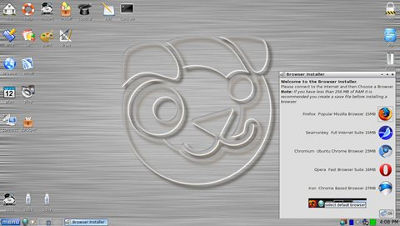
Puppy Linux is a free Linux based operating system which can be installed on many computers because of its slow system requirements. If your computer can run Windows XP, or older, it is most likely fast enough for Puppy Linux. Puppy Linux is also one of the most user friendly and fastest Linux operating systems because its user interface looks like Windows user interface, so there is almost no learning curve.
Puppy Linux is a great operating system for web browsing, watching video, listening to music, office work, and many other tasks because it is easy to install, fast, stable, and free. It is also safer from viruses, so you don’t need an antivirus like Windows or Mac to stay safe online since getting a virus in Linux is very rare.
I installed Puppy Linux 5.2 Lucid with the Windows installer for Puppy Linux on an old Windows Vista Laptop to install Puppy Linux a long side Windows Vista to make a dual boot computer.
Installing Puppy Linux with the Windows Installer for Puppy Linux is like installing other common Windows programs like Firefox, Google Chrome, etc where you just open the .exe executable file to follow the step by step instructions, and Puppy Linux is installed.
The Puppy Linux Windows installer should work for most versions of Windows like 7, Vista, and XP except for Windows 8 because Windows 8 computer uses secure boot also called UEFI which block non-Windows 8 operating systems from being installed.
After you installed Puppy Linux onto your computer, you need to press the down arrow on your keyboard, and the enter key when you see the Windows startup manager. This will highlight and start Puppy Linux. You can press enter again when you see the Puppy Start up manager to skip the countdown timer for Puppy Linux startup.
The text you see when Puppy Linux is starting up is normal, and should only take a few seconds to load before your computer finish starting up into Puppy Linux.
[continue reading…]
Tagged as:
dual boot,
linux,
puppy linux,
puppy linux windows dual boot,
Windows
by Johnson Yip
on April 10, 2013
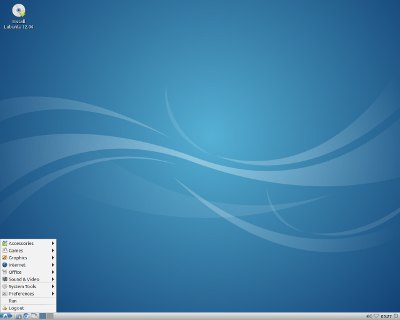
Lubuntu Linux 12.10 is a lightweight, simple, and feature rich operating system which is based on Ubuntu 12.10, but uses the LXDE lightweight desktop environment. The LXDE theme uses less RAM, CPU, video, and other system resources than other Linux desktop environment like KDE, Gnome, and Unity.
I can also install Lubuntu on a computer with only 5GB of free space on its hard drive.
Lubuntu is also free like Ubuntu, and if you already have Ubuntu installed on your computer, you just need to install LXDE from the Ubuntu Software Center, and switch your desktop environment to the LXDE environment instead of using Unity.
Using less system resources means Lubuntu can run faster on older computers with less RAM, a slower CPU, and video card. LXDE also make your computer run cooler, and use less power because it does not have to work as hard to run Lubuntu. Your computer may run cooler since Lubuntu does not make your hard drive spin up a lot, it does not use a lot of CPU cycles, and it uses very little RAM for a modern operating system. [continue reading…]
Tagged as:
lubuntu,
older computers,
older laptops,
operating systems,
ubuntu,
ubuntu linux