by Johnson Yip
on June 3, 2013
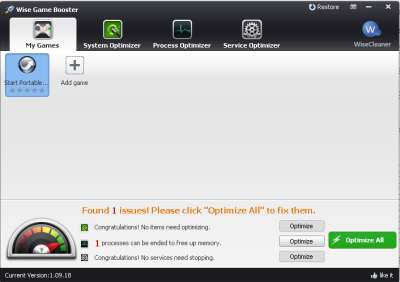
Sometimes your computer run games, and large programs like web browsers, photo editors, video editors, and office suite slowly because your computer is being slowed down by other programs and services running in the background, and unoptimized Windows settings. Wise Game Booster can help improve your performance by optimizing Windows settings, ending background programs, and services to free up RAM and CPU cycles, so your games, and programs have more RAM, and CPU cycles to use to run faster than before.
Using Game Booster is free, easier, and less expensive than upgrading your physical RAM, and CPU to increase the amount of free RAM, and CPU Cycles to run programs more fast.
I been using Game Booster to Boost my Windows 8 computer with only a dual core 1.8GHz CPU, and 1 GB of RAM, and programs run faster and more stable after I used Game Booster.
Wise Game Booster is a free gaming utility, and game launcher program which can free up RAM, and CPU resources in only a few seconds with a few clicks of the mouse. It also has a games, and programs launcher which you can use to launch programs, and games with one click of the mouse. Game Booster is safe to use since it does not make permanent changes to your Windows operating system, and everything it does can be changed back by using the restore and resume wizards, or restarting your PC. [continue reading…]
Tagged as:
free ram,
make games faster,
make windows use less ram,
system utility,
wise game booster
by Johnson Yip
on June 2, 2013
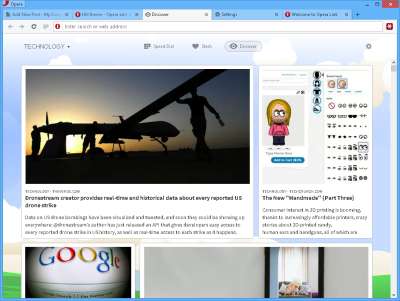
I have recently been using Opera 15 Next which is a very fast web browser which can speed up my internet browsing speed. It has a feature called “Off the Road mode” which I can turn on in the Opera menu on the top right, and Off the Road mode will compress websites, so the images, and other website elements load faster. Off the Road mode is good for using when you are in slow wifi, dial-up, and slower internet connections, or to save bandwidth on limited capped internet, and data plans where you can only use a limited amount of bandwidth a month, and pay extra for using more bandwidth after you went over your bandwidth limit.
Opera Next works great on YouTube, blogs, forums, e-mail, and other sites which I visit everyday.
Opera Next also uses the latest Chromium Blink Webkit web browser engine which is the same engine which Google Chrome, and Chromium web browser uses, so Opera is fast, stable, and secure like Google Chrome. In my experience, Opera Next is very stable, and rarely crashes, and freezes much even on my older computer with a Dual-Core 1.8 GHz CPU, 1GB of RAM, and 320GB SATA2 hard drive running on Windows 8. Opera Next does not slow down on my slower computer even when multiple browser tabs with big websites on them are opened at the same time, and big websites don’t freeze my computer when loading sites like other web browsers like Firefox, and Internet Explorer which sometimes freeze my computer when loading big websites. Opera is also available for Mac, and Linux. There is also hardware acceleration in Opera Next to make Opera even faster. [continue reading…]
Tagged as:
internet,
opera,
opera next,
slow connection,
web browser
by Johnson Yip
on May 30, 2013
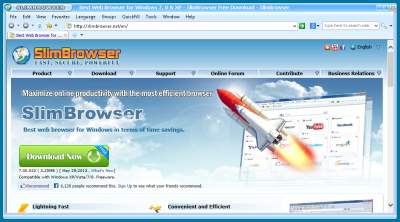
FlashPeak Slim Browser is one of the fastest browser for Windows I ever used. I use Slim Browser on an older computer with only a dual-core 1.86GHz Intel Core2Dou CPU, 1GB of RAM, and a 320 GB hard drive which has Windows 8 installed on it.
Slim Browser starts up quickly, and use very little RAM and CPU cycles even when many Slim Browser tabs and windows are open. Slim browser’s window also minimizes, maximizes, closes and restore very quickly when I click on the minimize, maximize, and close button on the top right of the window. Slim Browser also rarely crashes in my experience.
Creating new tabs, windows, and closing tabs is fast, and easy in Slim Browser. I just click the + sign on the tab bar to make a new tab, or the X sign on a tab to close a Window.
Slim Browser load big websites many seconds faster than other web browsers like FireFox which sometimes freezes my PC when loading big sites like the Huffington Post, Toms Hardware, and websites with a lot of animation, big pictures, sharing buttons, widgets, and scripts. [continue reading…]
Tagged as:
flash peak,
slim browser,
web browsers,
Windows,
windows 8