by Johnson Yip
on October 29, 2013


Battery Doctor by KS Mobile is one of the best ways for Google Android users to save their battery life, so they can use their phone or tablet longer. It is also easier to use than going into your Android settings to manually turn off features like Bluetooth, GPS, and other features to save power.
Battery Doctor makes turning off your Bluetooth, Wifi, 3G/4G Data, NFC, GPS, vibration, brightness, sound, and other power draining features simple by just changing to different power saving modes in Battery Doctors easy to use user interface or by using the Battery Doctor Homescreen Widget for Android instead of browsing through different settings sections like Wi-Fi, Bluetooth, Location Awareness, etc in your Android device which is more time consuming, and harder to use for Android users compared to using Battery Doctor.
Battery Doctor also shows you the percentage of power left on an icon on the top left of your screen. [continue reading…]
Tagged as:
battery doctor,
extend battery life,
google android,
ks mobile,
mobile
by Johnson Yip
on October 28, 2013
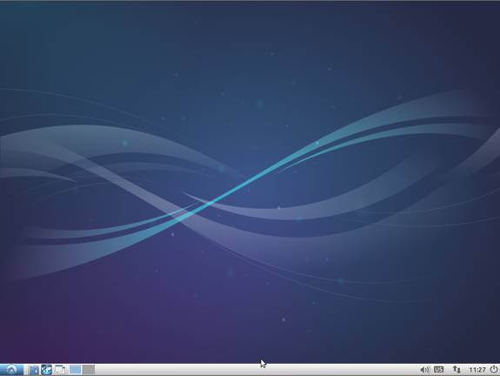
Lubuntu 13.10 is one of the fastest free Linux based operating systems which I had installed on my older computer with an old dual-core Intel CPU with 1GB of RAM, and a 320GB hard drive. It almost never slows down, or freezes like Windows when too many programs are running in the background. Lubuntu is also a more safe, and secure operating system because it is based on Linux which is one of the most secure operating systems in the world because there are a lot of volunteers fixing security problems quickly, and you download programs from the Lubuntu Software Center which has no virus and spyware programs on it.
Lubuntu 13.10 is a better alternative than Windows Vista-8 on computers with less than 1GB of RAM because Windows Vista, 7, and 8 all use a lot more RAM than Lubuntu 13.10 which uses under 170MB of RAM when Idle in my experience on a computer which only has 1GB of RAM.
Lubuntu has been working pretty well when I use it to browse the web, watch videos, type documents, and play games on it. I like how fast Lubuntu startup and shut down which takes under a minute to start up, and a few seconds to Shutdown.
The main reason for Lubuntu being so fast is because it uses the LXDE Desktop Environment which is more lightweight than the regular Ubuntu’s Unity environment which uses more RAM, and CPU resources. Lubuntu is also based on Ubuntu 13.10 which is a very fast operating system based on Linux. However, Lubuntu is even faster than Ubuntu because Lubuntu uses the LXDE theme which is more light weight than the Unity Desktop Environment which can be slower on older computers with less RAM, and a slower CPU. There also seem to be less slow down when browsing the web, and do other tasks in Lubuntu compared to more heavy operating systems, so I feel using Lubuntu makes my computing experience faster without the need to upgrade my RAM, CPU, and hard drive to a faster one. [continue reading…]
Tagged as:
linux,
lubuntu,
operating systems,
pc,
ubuntu,
ubuntu13.10
by Johnson Yip
on August 27, 2013


Ubuntu 13.04 Raring Ringtail on an older computer desktop from 2008, and Ubuntu still runs very well with very little slow slowdown when I use Ubuntu for my everyday desktop computer tasks like Web browsing, word processing, watching video and listening to music.
I find it pretty easy to launch programs in Ubuntu by clicking on icon on the application launcher on the left side of the desktop, or I can search for the program with the search program in Ubuntu. [continue reading…]
Tagged as:
linux,
operating system,
ubuntu 13.04,
ubuntu linux