by Johnson Yip
on April 7, 2014
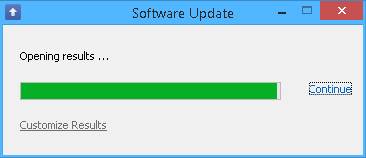
I have been using File Puma’s free Update detector software to keep most of my software installed in Windows updated. It is important to keep Windows, and software installed in Windows updated because updates for programs usually fix security and stability problems with the software. Updates also sometimes improve the speed of the software, and add new useful features to your software which is installed on your PC.
Using Update Detector is easy, you just need to click on the shortcut for Update Detector, and wait for it to finish scanning your programs for update.
The Update Detector program scan only takes a few seconds to scan your computer for updates to programs like Firefox, Google Chrome, and Adobe Flash player which are installed on your computer. After it is done scanning your computer for updates, it opens a page in your web browser to show you which programs need updating. You also download the installer files from File Puma’s website. The download speeds on File Puma’s website are pretty fast. [continue reading…]
Tagged as:
File puma,
program updates,
software update,
update detector,
update notifications windows,
windows update
by Johnson Yip
on April 6, 2014


The Raspberry Pi Model A-B has a 3.5 mm Audio port which is the blue or black port which is use for sound when you plug in a 3.5 mm plug from speakers, or headphones. with a 3.5 mm audio plug on the sound cable. Using the 3.5mm port on the Pi is useful when you are using a HDMI monitor without speakers. Computer speakers also have a headphone jack and makes it easier to adjust the sound level with the audio knobs on the front. Desktop speakers also sometimes sound better, has more bass and are louder than the speakers which are built-into your HDMI monitor, or TV.
All you need to do is plug in the speakers to the wall’s power outlet, and plug in the sound plug on the speaker to the Raspberry Pi’s 3.5 mm audio port. You may need to configure your Raspberry Pi’s operating system to play audio out of your 3.5mm audio port instead of its HDMI port if you don’t hear any sound. I think Raspbian sets audio to automatically play on speakers, or HDMI port.
A pair of desktop computer speakers with a 3.5mm audio plug like Logitech Z130 Speakers should work on the Pi’s 3.5 mm audio port.
Speakers with a 3.5mm audio plug can also be used with other devices with 3.5mm ports like MP3 players, smartphones, tablets, CD players, portable game consoles, computers, and TVs with a 3.5mm headphone/speaker port.
Tagged as:
3.5 mm speakers,
pi,
raspberry pi 3.5 mm audio port,
raspberry pi audio,
raspberry pi speaker
by Johnson Yip
on March 30, 2014


I have been using a $6.99 AmazonBasics 3-Button USB Wired Mouse for a few month on my Raspberry Pi, and the mouse works pretty good when I used it for a few months till now. It also works for Windows, Mac, and Linux desktop and laptop computers with USB ports as well. The Amazon Basic Mouse is the cheapest good quality wired mouse I can find on Amazon for under $8. I prefer wired computer mouses because it gets it’s power from my USB port, so there is no batteries to charge, or change like a wireless mouse. Wired mouses are also lighter because there are no batteries inside the mouse which make the mouse slightly heavier from the weight of the battery for the mouse. Wired mouses also don’t have wireless interference and cursor slowdown problems because wired mouses are directly connected to a computers USB port. Plus, there is also no USB wireless mouse signal transmitter to lose like a wireless mouse.
The long 4.92 foot USB cable is useful as well since I can put my computer farther away from my desk, and still have a long enough wire length to use the mouse. The wire is also not very stiff, and heavy, so it is easy to move the mouse around without moving my hand a lot. The mouse is also very lightweight as well, so it glides pretty easily when I move it with my hand. The USB plug is also easy to plug in, and remove, and fits tightly in the Pi’s USB port, so it won’t randomly get unplugged. The USB plug on the mouse also does not block the second USB port on the Raspberry Pi. I tested this mouse on an old USB 1.0 USB hub, and a newer USB 2.0 USB hub, and the mouse works with both types of USB ports. It should work with USB 3.0 ports on newer computers as well because USB 3.0 is backwards compatible with USB 2.0. This mouse is good for controlling a Raspberry Pi which is plugged into a Television set to use multimedia operating system for the Pi like Rasbmc, and Open Elec, or using the Pi as a game console to play old games like Quake 3 since the wire is long enough where I can control the mouse from a few foot away, and the small mouse can be put on the TV stand when not in use.
[continue reading…]
Tagged as:
AmazonBasics 3-Button USB Wired Mouse,
mouse,
pc,
raspberry pi,
scroll wheel mouse,
USB mouse