by Johnson Yip
on April 22, 2014
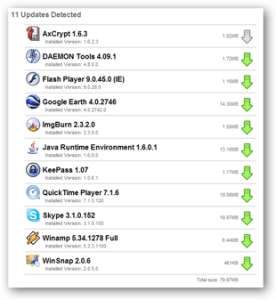
FileHippo Update Checker is a small program which scans your computer for updates to programs like web browsers, antivirus, office suites, media players, etc.
It is important to install the latest updates for your software like web browsers, antivirus, and office suites to improve your computer performance, fix problems, and prevent computer security problems like virus infections by installing the latest version of your software on your computer. Updating your programs may also free up hard drive space because newer versions of the program use less hard drive space sometimes.
All I have to do is open File Hippo Updater by clicking the shortcut icon on my desktop or startmenu in Windows, and FileHippo automatically scans my computer for programs which need updating. [continue reading…]
Tagged as:
filehippo,
program updates,
software updates,
update checker,
windows program updater
by Johnson Yip
on April 22, 2014


The ASUS Nvidia Geforce GT 620 1GB video card is a nice video card for PC Gamers and users on a small budget of $60 for a video card for playing PC games, watching HD video, video editing, and doing other video tasks on their desktop computer. I have been using the video card for a few months, and it works great on Windows 8.1 and Lubuntu Linux when I use it to play 3D PC games, and watch HD video on my older desktop computer. This card makes it possible for me to start playing PC games, 3D flash games, and watching HD video at the affordable price of about $60 which is a good deal considering the price of other video cards which can cost hundreds of dollars.
The video card also only uses up to 75W, so computers with a 300-400W or lower power supply has enough power to run this card. The 75W power usage of this card means this card uses very little electricity even when playing PC games or HD video, so your electricity bill won’t be much higher because you are using a dedicated video card. The heat generated with this card inside your PC case won’t make your PC much hotter.
I installed the Asus Nvidia Geforce GT 620 1GB video card on my older desktop computer with 1GB of RAM, and a dual-core 1.86 GHz Intel Core2Dou CPU, and 320GB hard drive. The performance of the Asus Nvidia GT 620 1GB is a lot better than my onboard Intel video which is slower, and also use up 32MB of my System RAM. The GT 620 uses a PCI Express 2.0 x16, and it works on my older PCI-Express 1.0 16x port on my older computer. I can also use this card on a newer desktop computer for increase video performance because this card also fits on PCI-Express 2.0 and 3.0 slots which is backwards compatible with PCI-Express 2.0 and 1.0.
Installing this card onto my computer is pretty easy. I just need to open my remove the PCI plate from my case, and make sure the PCI-Express slot clip is up, so I can gently push the card into the PCI-Express slot, and fasten the card to my motherboard with the clip on the PCI-Express slot, and screw the back of the card to my case with the screw on the case. It is easy to plug in my VGA cable from my LCD monitor to the back of the video card VGA port. [continue reading…]
Tagged as:
1 GB Videocard,
affordable video card,
ASUS,
cheap video card,
gpu,
nvidia,
Nvidia Geforce GT 620,
video card
by Johnson Yip
on April 22, 2014
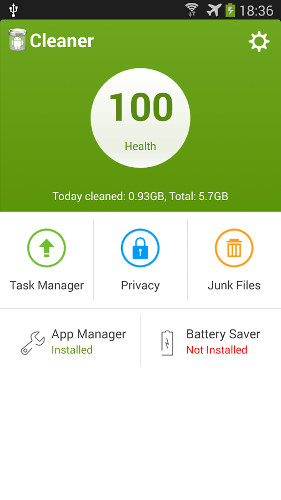
Cleaner is a easy, fast, and great app for cleaning cache files, empty folders, search history, logs and residual files on a Google Android Smartphone or tablet. It help me clean hundreds of MBs of junk files off my tablet, and stop a lot of background apps. I now has more space to install more apps, and my Apps like games, and web browsers run faster and smoother when I run the Task Manager to stop unwanted background apps from using my RAM when I am playing games, or browsing the web.
Cleaner is also one of the smallest size apps since it is only 667 KB in size which is under 1 MB in size, so it downloads and installs fast, and it does not take up much space on a smartphone or tablet. The loading time for Cleaner is fast. It launches in a few second after taping on the Cleaner shortcut on my Homescreen.
The user interface for Cleaner is easy to use, and most task like Junk File clean up, and Task stopping needs only one or more tap of the button to complete the task. [continue reading…]
Tagged as:
Android cache cleaner,
Cleaner,
Cleaner App,
google android,
mobile