by Johnson Yip
on April 6, 2015
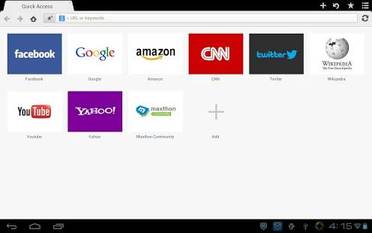
Maxthon Web Browser is one of the best alternatives to more popular web browsers for Android because Maxthon is fast, lightweight, simple to use, and has a lot of useful features like online bookmarks, and tab syncing, website sharing, online backup, and quick homepage bookmarks.
Maxthon for Android is also called Maxthon Cloud Browser. I have been using Maxthon for many years on both Windows, and Google Android since Android 2.3 Gingerbread on my older Kobo Vox tablet with only a 800 MHz CPU, 512MB of RAM, and 8GB of storage. Maxthon was one of the first Alternative web browsers which I used in Android back in 2011 because there were not as many good alternative web browsers back than. [continue reading…]
Tagged as:
google android web browser,
Maxthon Browser Android,
Maxthon web browser,
mobile web browser
by Johnson Yip
on April 3, 2015
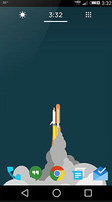
Yahoo Aviate launcher for Google Android homescreen is good alternative launcher to the default launcher which came with your smartphone or tablet. Aviate runs pretty fast for a full visual based launcher when I use it on my 2012 Asus Nexus 7 tablet with a 1.3 GHz Nvidia Tegra 3 CPU, 1 GB of RAM, and 16 GB of storage. I don’t experience much slow down, or freezing problems.
The main home launcher in Aviate lets you put apps in the Dock to quickly access them from the Dock at the bottom of the home launcher. There is also a search engine widget to use to search Yahoo search from Aviate home screen. On the right of the home launcher, it shows you a collection of Apps in different categories like Games, Utilities, Social, etc which you picked to show up after you installed Aviate, and you can add later on when you use the Collections homescreen in Aviate. [continue reading…]
Tagged as:
aviate,
Google,
google android launcher,
Homescreen Launcher,
yahoo,
yahoo aviate launcher
by Johnson Yip
on April 1, 2015
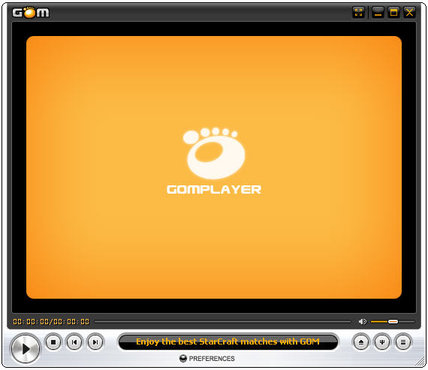
Gom Player is one of my favorite free video and music players for Windows. I have been using GOM Player as my main video player on Windows for many years. GOM is fast, easy to use, stable, and can open most types of video, audio and music media files likeAVI, MP4, MKV, FLV, WMV, MOV, MP3, and more!. It can even watch DVD movie discs. It also has a codec finder to download and install codecs for less common video and audio files. It’s user interface also looks very nice for a media player. It is also possible to change the theme and logo of the media player to give GOM media player a different appearance instead of using the default theme. GOM Media player has a full screen mode to watch videos in Full Screen, and use GOM Player more easily on a large TV and monitor.
When I use GOM Player on my older Windows 8.1 computer with a 1.86 GHz Intel Core2Dou Dual-core CPU, 3GB RAM, 320GB hard drive and Nvidia GT 620 1GB video card, GOM player opens very quickly after double clicking the GOM Player Shortcut on my desktop. It also opens HD video files in a few seconds, and the video does not freeze, or stutter when playing big video files. The video quality of GOM player is clear when I use GOM to play video. GOM also automatically deinterlaces video for video files which needs to be deinterlaced because the video was recorded from an interlaced video source like analog TV which displays horizontal lines when played back on a computer. [continue reading…]
Tagged as:
gom media player,
gom player,
media player,
media player software,
video player