by Johnson Yip
on May 29, 2014
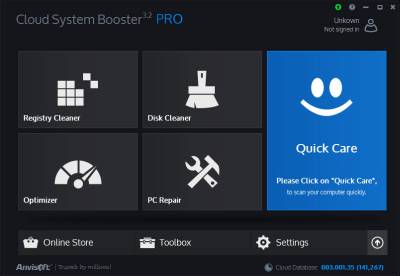
Anvisoft Cloud System Booster 3.2 is a free system utility system which will clean your registry, remove junk files, optimize Windows computers for faster performance, and repair your Windows PC Operating System.
Cloud System Booster also has an update feature to make sure you are using the latest version of its software’s cloud database to increase the for more efficient system maintenance based on user experience.
I like the simple 2D black and blue user interface of Cloud System Booster. The text is easy to read, and there are descriptions when I hover my mouse cursor over each shortcut box to make it easy to understand what each tool does.
Cloud System Booster 3.2 is pretty reliable, and fast. The program starts up in seconds after I click on its shortcut in Window’s desktop, and the program scans, cleanup and repair windows errors and junk files quickly, too.
It is very easy to use. I just need to click on the tool I want to use like registry cleaner, disk cleaner, optimizer or PC Repair, and follow the step by step instructions to perform the task. There is also a Quick Care button which quickly does a registry cleanup, disk cleanup, computer optimization, and PC Repair in just a few seconds after I click the Quick Care, and Fix/Clear button. I can also check the auto-clean after cleanup checkbox at the bottom right to automatically perform maintenance tasks. [continue reading…]
Tagged as:
anvisoft,
cloud system booster 3.2 free,
maintenance program,
system utility,
Windows
by Johnson Yip
on May 27, 2014
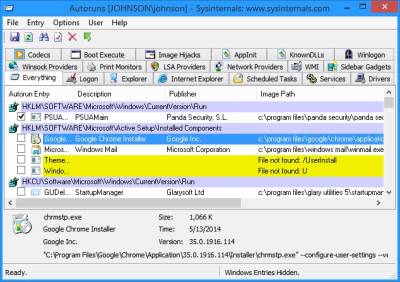
Autoruns by Sysinternals is one of the best free startup manager programs for disabling unwanted and un-needed startup programs, and services from starting up to make Windows startup faster, and run smoother with less slow down problems. Disabling startup programs, and services would make using Windows faster because startup programs, and services use up RAM, and CPU resources on your computer. The less free RAM, and CPU resources you have, the more your computer slow down when doing tasks like web browsing, gaming, and office work especially on a slower computer. By using Autoruns, and disabling startup programs, and services I don’t need to run during Windows start up, I am able to use Windows 8.1 on a computer with only a 1.86GHz dual core CPU, and 1 GB of RAM without experiencing much slow down. By unchecking startup programs, services, and other startup files which I don’t want running, my Windows RAM usage is usually under 512MB, and my CPU is not overly active after Windows startup. Using less RAM, and CPU resources should increase the battery life and power usage on laptops and desktops because your CPU and RAM are not running very intensely because it is being overloaded with startup programs and services. [continue reading…]
Tagged as:
autoruns,
disable startup programs,
startup manager program,
stop startup programs,
system utility,
Windows,
windows startup
by Johnson Yip
on May 24, 2014
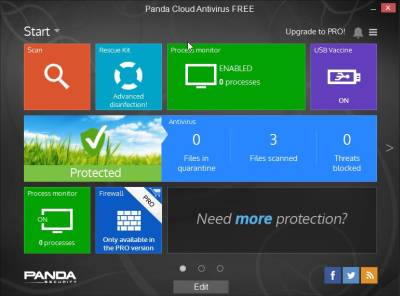
Panda Cloud 3.0 Antivirus is a fast, and easy to use Antivirus program which protects your computer from virus, spyware, malware, and harmful computer programs which can break your computer. It has Behavioral Analysis protection to protect your computer from programs which perform dangerous actions which can break your PC. [continue reading…]
Tagged as:
antivirus,
cloud antivirus,
malware,
panda cloud antivirus 3,
spyware,
virus,
windows security